![RRA_Logo_For_email.png]](https://knowledge.rudolphresearch.com/hs-fs/hubfs/RRA_Logo_For_email.png?height=50&name=RRA_Logo_For_email.png)
Issue
Use this guide if your density meter is showing:
- Unstable readings
- Poor repeatability
- Questions or concerns related to the air check or water check
Applies to
- Density Meters (DDM)
- Handheld density meters, including models such as DDM 29
Before you begin
Make sure you have the following:
- A clean syringe for injections
- High-concentration alcohol for cleaning the system
- An external air source to fully dry the system
Recommended troubleshooting workflow
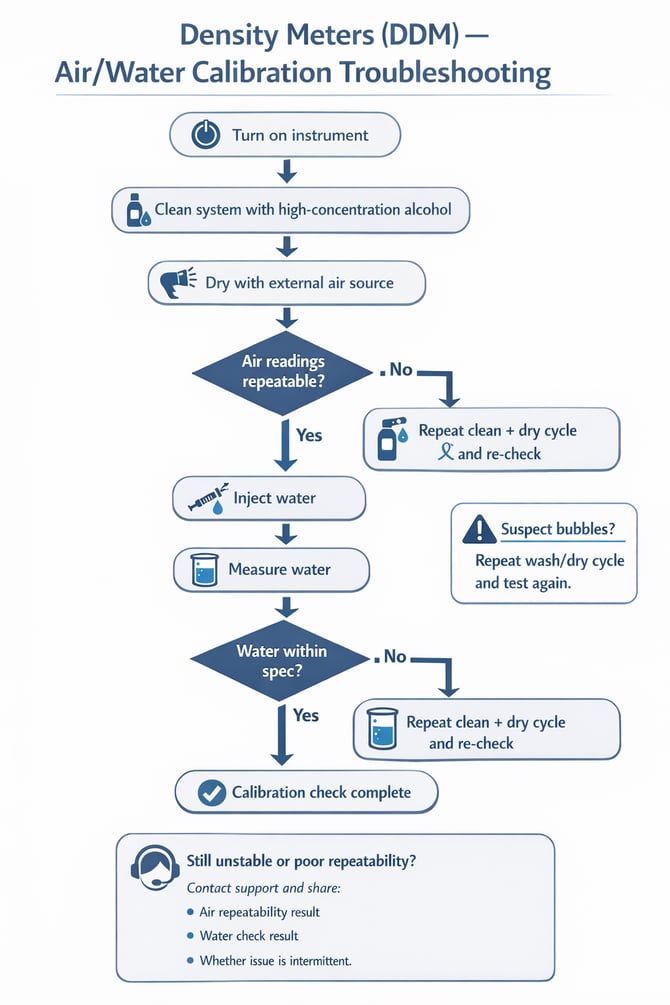
Follow this sequence to check air repeatability and water performance safely and consistently.
1. Turn on the instrument
Allow the unit to power on normally and prepare it for testing.
2. Clean the system
Using a clean syringe, wash the system with high-concentration alcohol.
3. Dry the system
Use an external air source to blow the system dry.
4. Check air repeatability
Run the air check and confirm the readings are repeatable.
- If air repeatability is poor, repeat the cleaning and drying steps again before retesting.
5. Inject water
Once the air check is stable, inject water into the system.
6. Measure water
Run the water measurement and compare the result to your expected specification.
- If the water result is not within specification, repeat the wash/dry cycle and test again.
Troubleshooting flowchart